
Closed beta now open — free for founding families · join in 2 minutes

The school day, sorted.

Dismissal plans, hot lunch, programs and school messages — one friendly app for your family. No more crumpled permission slips and 47-email newsletters.

Try the free beta

Free during beta · no credit card · 2-minute setup · any phone

Data stays in Canada No ads, ever English & العربية Google Play — coming soon
Illustration of a happy child with a yellow backpack waving outside their school, next to a smiling school bus
Everything in one place

Four taps, whole day handled

Hometime replaces the pickup text chain, the lunch-order website, the paper permission form, and the newsletter nobody reads.

Illustration of a phone showing a green checkmark beside a toy school bus

Dismissal, handled

Set each child's pickup plan, change it in seconds, and show your secure pickup pass at the curb.

Illustration of a school lunch tray with pasta, an apple and a smiling milk carton

Lunch in two taps

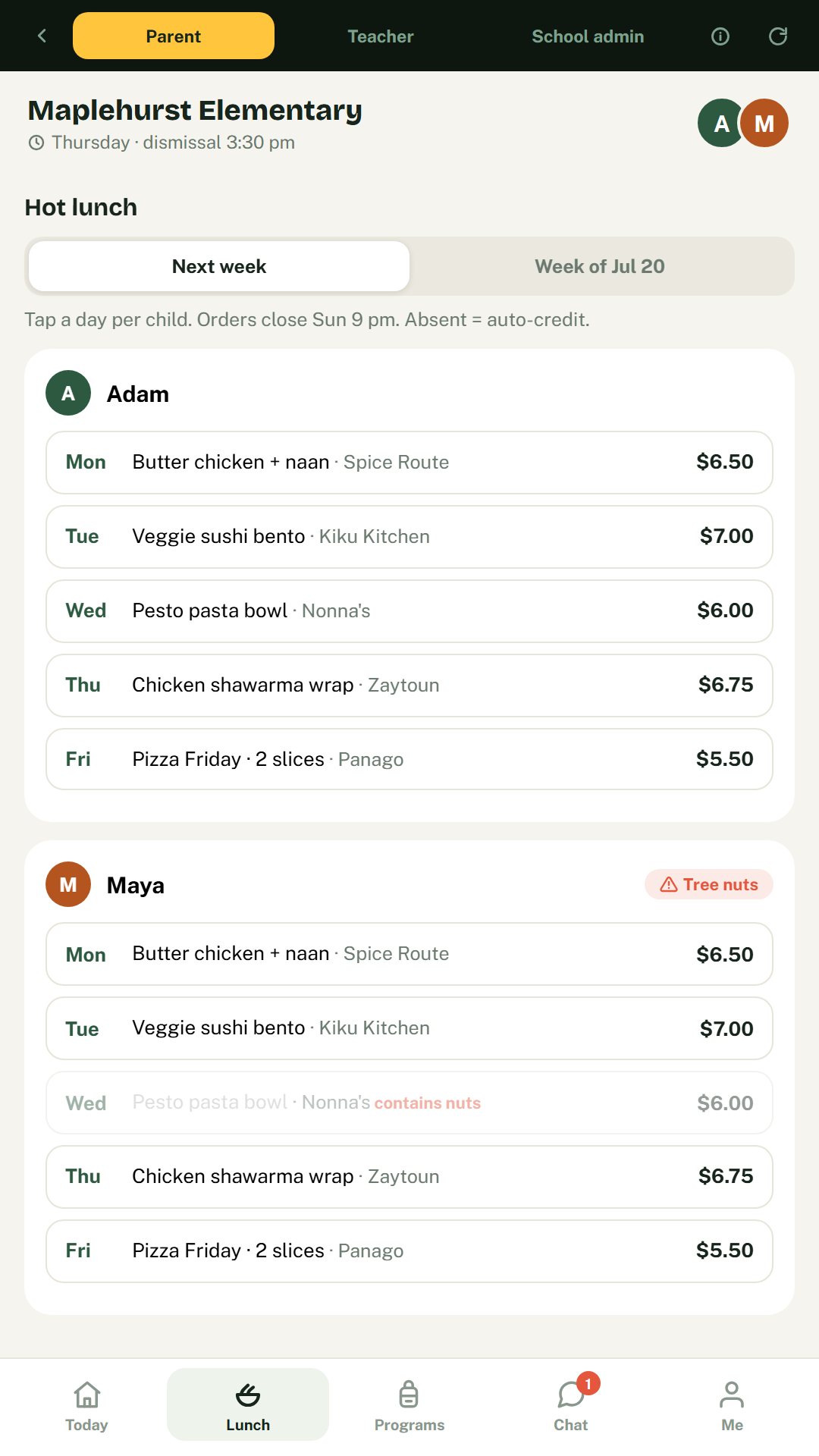
Order the week per child. Items that clash with your child's allergies are blocked automatically.

Illustration of a joyful child jumping with a backpack, pencil and paper plane

Programs & camps

Browse after-school programs and summer camps, grab spots, join waitlists — discounts applied automatically.

The Hometime backpack icon

Messages + Hana

Classroom updates, one-tap RSVPs, sign forms on your phone — and Hana, the assistant who answers "what's for lunch tomorrow?"

Two minutes to set up

How it works

1

Create your family account

Email and password — that's it. Confirm your email and you're in.

2

Add your kids

Name, grade, teacher, allergies, and their usual way home. Editable anytime.

3

That's it — sorted

Your day at a glance, lunch in two taps, and the school one message away.

Between 3:00 and 3:30 pm

Made for the school run

Big buttons, warm design, and everything a parent needs at the curb.

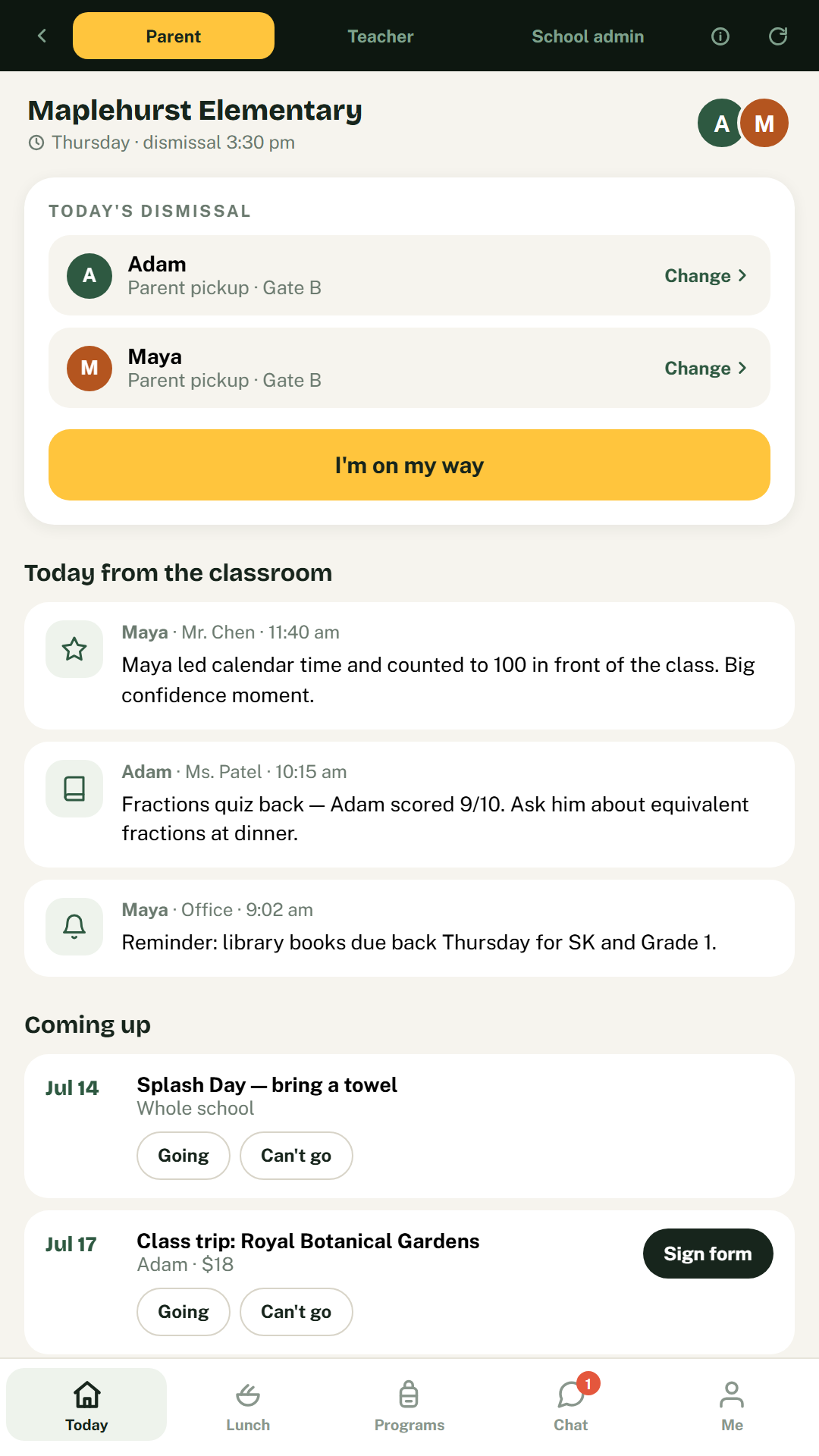
Hometime Today screen showing dismissal plans for two children and classroom updates
Your day at a glance
Hot lunch ordering screen with an allergy warning on one menu item
Lunch with allergy protection
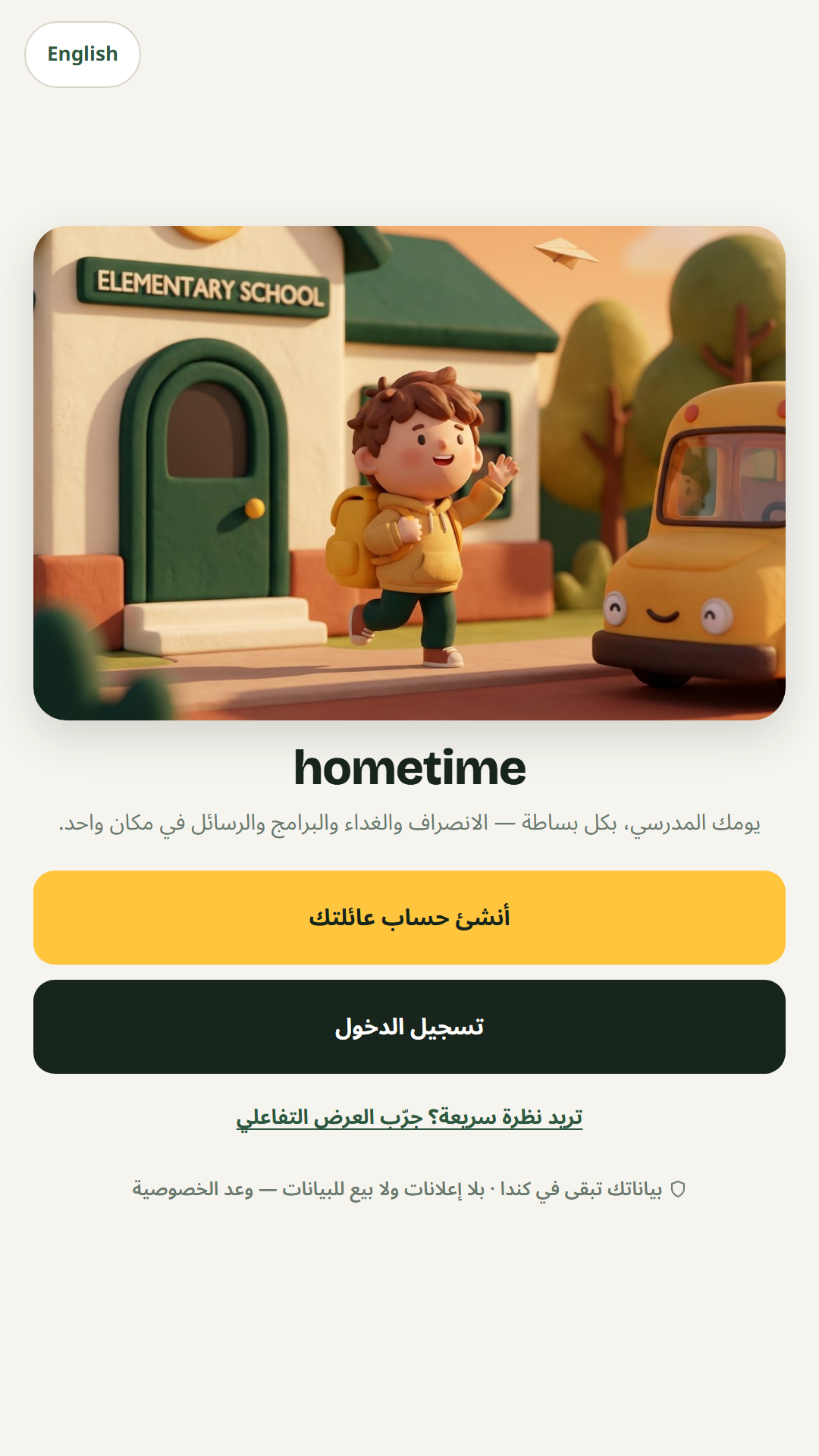
Hometime welcome screen displayed in Arabic
بالعربية، بالكامل
For schools & after-care programs

One platform, three sides of the school day

Parents get clarity. Teachers get calmer dismissals. The office gets fewer phone calls.

  • Live dismissal boards for teachers — who's a bus kid today, who's being picked up, and by whom
  • Announcements that reach every family, translated into their language
  • Secure, revocable pickup-delegate passes — grandparents and nannies without the paperwork
  • Allergy information in front of the right staff, always current
Book a pilot conversation

30 minutes · see all three views live · no commitment

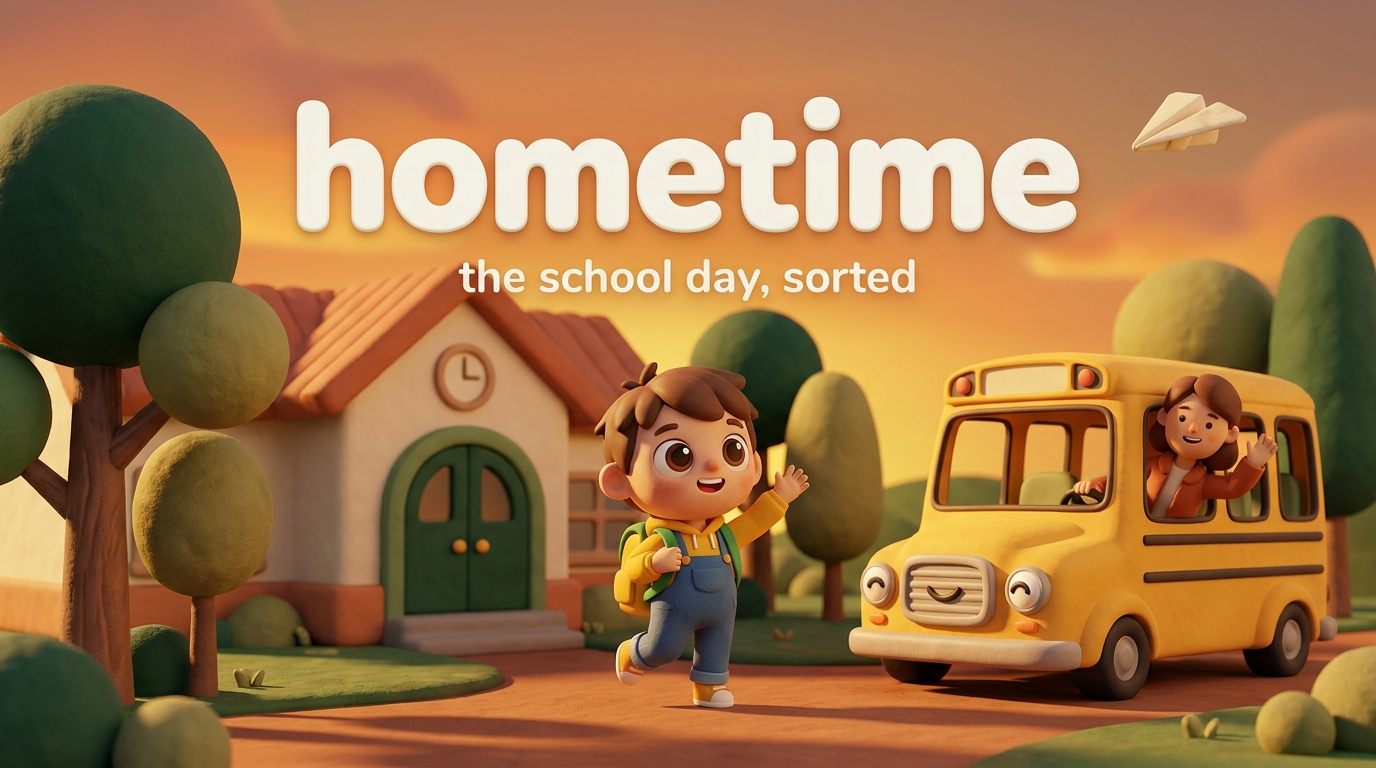
Hometime brand illustration of a school, a smiling bus and a waving child at golden hour
Illustration of a joyful child mid-jump with school supplies floating around them
Our story

Built by a parent who'd had enough

"A crumpled note at the bottom of a backpack. A pickup change buried in a 40-message group chat. A lunch form due yesterday. I kept thinking — why is the most important part of my day held together with paper and luck?"

— Shady, founder of Hometime & elementary-school parent, Oakville, Ontario

Hometime started as one parent's fix for the daily scramble around kids' school presence — who's picking up, who's staying for after-care, what's safe for lunch, what did the teacher say. It became a promise: one clean, warm place for the whole school day, in your language, with your family's privacy treated as sacred. That's the app we're now piloting with Canadian schools — built in Canada, for families like ours.

Your family's data is not the product

Hometime stores your data in a Canadian data centre, never sells it, never shows ads, and locks each family's records to their own account at the database level. Kids' names and allergy notes are exactly as sensitive as you think they are — we treat them that way. Read the privacy promise

Questions parents ask

Quick answers

Is it really free?
Yes — completely free during the beta, no credit card anywhere. Payments shown in the app (lunch orders, program fees) are simulated while we pilot with schools, so nothing is ever charged.
Does it work on iPhone and Android?
Both. Open hometimeapp.ca on any phone — on Android tap "Install the app", on iPhone use Share → Add to Home Screen. It installs like a regular app, with an icon on your home screen. A Google Play listing is on the way.
Where is my family's data stored?
In a Canadian data centre (Toronto). It never leaves Canada, is never sold, and each family's records are locked to their own sign-in at the database level. You can delete your children's profiles anytime, or your whole account by request.
هل يدعم التطبيق العربية؟
نعم — التطبيق كامل بالعربية، من اليمين إلى اليسار، بما في ذلك المساعدة الذكية هَنا وصفحة الخصوصية. بدّل اللغة من الشاشة الأولى أو من تبويب «أنا».
My school isn't on Hometime — is it still useful?
The beta comes with a rich demo school so you can feel the whole experience, and your own family setup (kids, allergies, pickup plans) is real and saved. School-connected features light up as schools join the pilot — and if you'd like yours to be one of them, tell the office about us or book a pilot conversation above.

Still curious? The fastest answer is two minutes inside the app.

See it for yourself
Hometime app icon

Be part of the beta

Free while we pilot with schools. Two minutes to set up, on the phone already in your pocket.

No credit card · English & Arabic · data stays in Canada

Try the free beta — 2-minute setup